


MotionStudio 3D
 by Mel
Aug 19, 2022 |
0
Votes |
70
Used |
0
Reviews
by Mel
Aug 19, 2022 |
0
Votes |
70
Used |
0
Reviews
 -
rate
Corel MotionStudio 3D is a 3D Animation software for Microsoft Windows from the Corel VideoStudio video editing software suite with the purpose to support users in creating 3D objects, scenes, and animation without needing to be an expert at 3D modeling.
Try Now
Similar Software
-
rate
Corel MotionStudio 3D is a 3D Animation software for Microsoft Windows from the Corel VideoStudio video editing software suite with the purpose to support users in creating 3D objects, scenes, and animation without needing to be an expert at 3D modeling.
Try Now
Similar Software
People Also Played


Introduction
Corel MotionStudio 3D is a 3D Animation software for Microsoft Windows from the Corel VideoStudio video editing software suite. MotionStudio 3D has been developed with a purpose to support users in creating 3D objects, scenes, and animation without needing to be an expert at 3D modeling.
With its 3D animation capabilities, MotionStudio 3D can add custom 3D titles, visual effects, and 3D animation to your videos and includes easy-to-use tools for 3D graphics, animated text, particle effects, motion blur, and more.
Furthermore, MotionStudio 3D is compatible with other video or web tools. You can export your projects in a variety of formats compatible with VideoStudio® Pro X4 and other leading video-editing programs.
Features
MotionStudio 3D’s streamlined, user-friendly Intuitive Interface gives you all the tools you need to quickly and easily accomplish your tasks. The Edit Window displays your project as you work and reflects changes in near real-time--with minimal rendering waiting times. Also, you can drag objects directly within the Edit Window for a more tactile way to customize basic aspects like position, rotation, and size. Its Timeline Window, meanwhile, sets the key frames that guide your animation.
EasyPalette animates your 3D titles and 3D graphics using preset and plug-in effects. With just a few clicks, you can drag 3D Models, Text Objects, Lathe Objects, Shapes, and even simple extrusion effects onto your selected items.
Add dynamism and impact to your video with a wide variety of preset 3D Title behaviors and animations. Type your text, extrude it to 3D and animate it in a few steps. Add bevels, textures and other attributes. Then apply effects to make your text bounce, stretch, disintegrate, rotate and much more.
Professional-grade Realistic Motion Blur effects add realism to 3D graphics. Make flying objects or titles streak across a scene. Adjust settings for the density, path and length of the blur to get the effect you want. Plus, the Timeline Window makes it easy to adjust the object’s motions.
Create unique visual effects by Importing 3D Models, Vector and Raster Graphics—including Adobe® Illustrator® (AI), Windows® Metafiles (WMF) and Enhance Metafiles (EMF)—and editing them into your DirectX and 3D Studio models.
Create 3D Video Output for anaglyph or side-by-side viewing systems. Use the instant preview to see what you’re creating as you work.
Add photo characteristics to video by adjusting the Depth of Field Adjustments to naturally blur objects. This effect can also be animated to make it appear that the camera is focusing on the scene as you watch.
Realistic Particle Systems allow you to create high-end visual effects by adding fire, snow, smoke, bubbles, explosions and other elements. You can control the size, source, density and behavior of the particles as well as make minor adjustments to the particles' properties such as texture, density, color, rotation, and more.
With MotionStudio 3D, you don’t have to wait to see your work. Their High-speed Preview allows you to assemble and playback your visual effects, 3D titles and 3D graphics in high resolution, in real time, via the Preview Panel.
Create Alpha Channels when you export a file from MotionStudio 3D to include information about areas of transparency in your clip. This makes it easy to overlay your 3D title or visual effect on another layer of video for amazing animation possibilities.
Easily export your visual, 3D graphics and titles from MotionStudio 3D in a Wide Variety of Animation, Image and Video Formats to use in your video or web productions. Export your project as a 3D model with support for DirectX and 3D Studio formats. Output visual effects projects with audio directly to Corel® VideoStudio® Pro X4 or choose one of several commonly used formats, including AVI, 3GPP, MOV, MPEG, MP4 and WMV. You can also create JPEG, BMP, GIF and TGA image files of your 3D titles and graphics. Plus, export projects in GIF or Flash (SWF) formats for use on the web. Compatible with leading video editors, including Adobe® Premiere®, Pinnacle Studio, Magix Movie Edit, Sony Vegas™ and many more.
Highlights
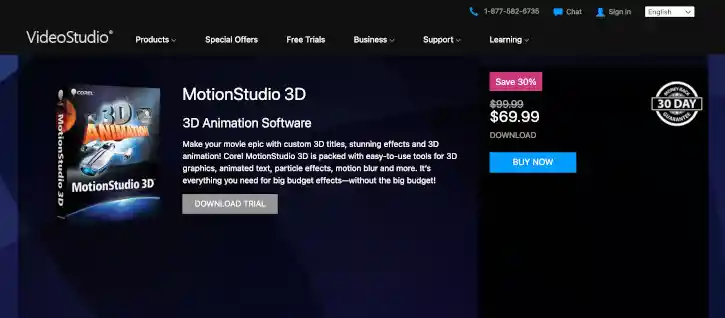
To try out MotionStudio 3D, simply visit VideoStudioPro.com’s MotionStudio 3D product page to download the Free Trial good for 30 days.
To access the 30-day free trial, no credit card is required. The trial is designed to deliver access to the video editing software so that you may try it before you decide to buy it. Do note that the trial is limited in functionality and does not offer complete file support, features, and third-party effects.
Once you decide to purchase the full version of the software, just return to the MotionStudio 3D product page to click the “Buy Now” button and order the full download and license of the software for $69.99.
Conclusion
Geared more toward beginners with no 3D animation modeling experience, MotionStudio 3D's interface is both user-friendly and intuitive, which should be the ideal kind of software to use for motion graphics novices. With its array of presets and powerful, yet simple, predefined tools and features, MotionStudio 3D is a good starter tool to either practice on or to apply on basic video productions.
MotionStudio 3D Blog
New Software Added: MotionStudio 3D
by Mel
Aug 19, 2022
 Read More

Featured Software
 123RF.com
In the Internet, there’s undoubtedly no shortage of skilled labor ready to share their content to end users. This is where 123RF.com comes in.
123RF.com
In the Internet, there’s undoubtedly no shortage of skilled labor ready to share their content to end users. This is where 123RF.com comes in.
 Adobe Stock Photos
 is a stock image provider that is part of the Adobe family of software and tools which many graphic designers and other graphics-oriented professionals use to create amazing art and images; to express their creativity in ways that were not possible before.
Adobe Stock Photos
Adobe Stock Photos is a stock image provider that is part of the Adobe family of software and tools which many graphic designers and other graphics-oriented professionals use to create amazing art and images; to express their creativity in ways that were not possible before.
 Shutterstock
With over 183 million royalty-free images, video clips and music tracks, Shutterstock is the world’s largest online repository of stock content. Be it images or videos, you’ll be able to find the most suitable form of media you need to supplement your written content and social media posts, or to enhance your website.
Shutterstock
With over 183 million royalty-free images, video clips and music tracks, Shutterstock is the world’s largest online repository of stock content. Be it images or videos, you’ll be able to find the most suitable form of media you need to supplement your written content and social media posts, or to enhance your website.
 GoToWebinar
If you’re looking for quality leads for your business, setting up webinars where you can introduce your products or services to prospective customers can be among the most effective tactics. Trusted by millions around the world, GoToWebinar is not just “another” webinar software – it is a time-tested solution to creating webinars that work due to the many features it has, all built-in and ready for you to use.
GoToWebinar
If you’re looking for quality leads for your business, setting up webinars where you can introduce your products or services to prospective customers can be among the most effective tactics. Trusted by millions around the world, GoToWebinar is not just “another” webinar software – it is a time-tested solution to creating webinars that work due to the many features it has, all built-in and ready for you to use.
 Movavi
 is a software brand that has made its name with its lightweight and easy-to-use video editing program of the same name. Since then, the company has ballooned in size and product diversity, offering other software like a photo editor, video converter, slideshow maker, PDF editor and even a Mac cleaner.
Movavi
Movavi is a software brand that has made its name with its lightweight and easy-to-use video editing program of the same name. Since then, the company has ballooned in size and product diversity, offering other software like a photo editor, video converter, slideshow maker, PDF editor and even a Mac cleaner.
 Adobe Photoshop
One of the more renowned image-editing and creation software around, Adobe Photoshop is the perfect creative tool for image-editing and creation. Use the myriad of tools to create marvelous designs from banners to logos; from packaging to entire websites.
Adobe Photoshop
One of the more renowned image-editing and creation software around, Adobe Photoshop is the perfect creative tool for image-editing and creation. Use the myriad of tools to create marvelous designs from banners to logos; from packaging to entire websites.
