


Vyond
 by Mel
Jul 19, 2022 |
0
Votes |
79
Used |
0
Reviews
by Mel
Jul 19, 2022 |
0
Votes |
79
Used |
0
Reviews
 -
rate
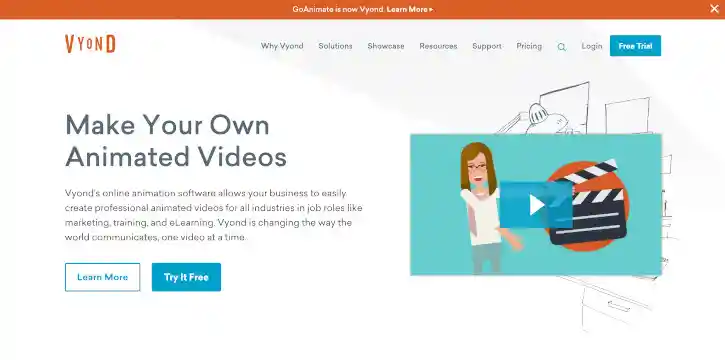
Vyond is an American cloud-based, animated video creation platform. Using their proprietary drag-and-drop interface and composition tools, users can create animated videos with a variety of 2D-customized characters, use countless motion effects, record spoken dialogue and narration which animated characters can lip-sync, and much more.
Try Now
Similar Software
-
rate
Vyond is an American cloud-based, animated video creation platform. Using their proprietary drag-and-drop interface and composition tools, users can create animated videos with a variety of 2D-customized characters, use countless motion effects, record spoken dialogue and narration which animated characters can lip-sync, and much more.
Try Now
Similar Software
People Also Played


Introduction
Vyond (formerly known as GoAnimate or Go!Animate) is an American cloud-based, animated video creation platform. Originally, a Flash-based program that allowed users to create GoAnimations based on the Domo stop-motion shorts of Japan broadcaster, NHK from 2008 to 2014; GoAnimate was later associated with the GoAnimate for Schools website and also became a founding partner of YouTube Create – a suite of apps available to content creators within YouTube.
After the demise of the Adobe Flash multimedia software platform and GoAnimate’s consequent retirement of its Flash-based legacy video maker, the company was renamed Vyond in 2018 (though its trading name remains as "GoAnimate, Inc.) and relaunched its now HTML5-based Vyond Studio online animation software to the public.
Today, Vyond has served over 12 million registered users and offers tens of thousands of pre-animated assets in its library including templates, characters, actions, props, text boxes, music tracks, and sound effects. Using their proprietary drag-and-drop interface and composition tools, users can create animated videos with a variety of 2D-customized characters, use countless motion effects, record spoken dialogue and narration which animated characters can lip-sync, and much more.
Designed for those in Marketing, Sales, Training & e-Learning, Internal Communications, and Human Resources; Vyond allows businesses to easily create professional animated videos in-house so that they don’t need to rely on expensive video production and editing services.
Features
Visit Vyond.com to check out their suite of solutions and subscription plans to suit your specific business needs. Want to take Vyond for a spin before committing to the platform? No problem. Just sign up your email, Google account, or Microsoft Office 365 account to the site and receive a 14-Day Free Trial where you’ll have unlimited access to the features in their Premium plan. You will be able to create custom characters, design video infographics, use whiteboard animation, and create as many videos as you’d like (all videos made during your trial will be “Vyond” watermarked, however).
During your trial period, you’ll also have access to Vyond’s bi-weekly and special live Webinars where the Vyond team will show you how to create videos quickly and efficiently, learn about key production elements, formulate ideas for incorporating video into your content, and offer tips on how to create videos from scratch.
As you try out Vyond’s wide range of bells and whistles and browse through their library of creative assets, some of the main Features you’ll come across include tools for:
Customizing Your Creation. With Vyond, you can create completely unique videos to match any theme or style. Create completely customized characters from a library of thousands of clothing options, hairstyles, and facial features, or change the colors of contemporary props to match your video. Character Styles include Contemporary (2D characters designed for a more modern look); Business Friendly (2D characters with a more TV look); and Whiteboard (classic whiteboard characters).
Character and Object Animation. With Vyond, your characters move, act, and behave just like real people, whether they’re walking and talking, drawing on a whiteboard, or working in a factory. Whether you’re creating a slide or video, you can create your content and add dynamic elements to them such as animated assets, effects, motion paths, camera movements, and more.
Automatic Character Lip Sync. Add audio and watch your characters come to life. With other video platforms, characters are mute cardboard cutouts, but with Vyond, your characters move their mouths like real human beings via effects and tools for adding lip sync, text-to-speech, expressions and actions, and real voice narration.
Team Collaboration (Professional & Enterprise Plans) tools offer functionalities for Video Collaboration (work together with multiple people in your organization on the same video); Shared Libraries (share audio, video, and image assets with your team); User Management Panel (administer the accounts on your team); and Video Sharing(share videos securely with individuals or your entire team).
Vyond Secure Suite (Enterprise Plan). Available only with Vyond for Enterprise, administrators have the flexibility they need to implement Vyond while ensuring that company data remains secure. Key Features include: brute force login protection; inactivity logout; IP whitelisting; customizable password complexity; single sign on; and custom video cache expiration
Vyond offers four Pricing tiers depending on your organization’s or team’s particular creative needs, namely:
Essential - USD $49/month ($299/year paid annually) for Single User. A basic plan for those on a tight budget; includes a Vyond logo watermark on the bottom left of each video and allows for exportation of MP4 videos in 720p resolution only.
Premium - USD $89/month ($649/year paid annually) for Single User. A single-user plan suitable for small business needs. Includes NO watermarks, 1080p quality and animated GIF exports, live chat, and Vyond community support.
Professional - USD $159/month ($999/year paid annually) Per User. A scalable plan suitable for teams (requires one seat for each user & seats cannot be shared) at medium- and large-sized businesses. Includes advanced animation and branding features, enhanced team collaboration tools, upgraded security, and priority customer service.
Enterprise - (Custom Pricing). Vyond for Enterprise is a solution for large regional and global organizations which combines the best of video production with managing user access and permissions and complying with your organization’s security and brand guidelines into one simple-to-manage package. The solution combines Vyond Professional with advanced information security features (Vyond Secure Suite), training & onboarding assistance, and a dedicated account manager.
During your 14-day free trial, the videos, custom characters, and uploaded assets that you create on your free trial will be kept safe in your account for up to 18 months. Once you pay to subscribe, you can pick up right where you left off. At any point during or after the 14-day free trial, you can upgrade to the subscription level that best meets your needs. Only paid subscribers can download their videos.
Highlights
As touched upon briefly above, subscribing to an Enterprise plan offers team members personalized services for training and support, such as:
Vyond Accel which offers customized training with a member of the Vyond customer success team. Accel helps large organizations define, deliver, and standardize video-making skills and best practices to get the most out of Vyond. You and your team will develop expert-level capabilities faster and deliver outstanding videos sooner.
With Accel, team members and creators will be able to understand the admin panel; access “Getting Started” guides to onboard future users; process user account activation; be trained in four tailored sessions—introductory, intermediate, advanced, and post-training best-practice sessions—all recorded for future use; categorize types of videos to create and target audiences of any size; review your team’s video creation skills; and provide quarterly account reviews to discuss incoming support queries, feedback, and upcoming features for enterprise customers.
Vyond’s White-Glove Service, meanwhile, allows Enterprise clients full access to Vyond’s highly-trained service-oriented product experts committed to helping you achieve your goals.
These experts are available 18 hours a day via toll-free phone, live chat, and email with language support in English, Spanish, Italian, Portuguese, French, German, and Russian—all in-house and not farmed out to call centers. Vyond for Enterprise also offers an extra level of support with a dedicated Customer Service Manager as your main point-of-contact so you can jump to the front of the line and get your questions answered more quickly. Their SLAs and prioritized response infrastructure, in addition, guarantee uptime and a priority queue.
Conclusion
If you’re a business or organization that produces animated training, communications, marketing, sales, or educational videos; then there’s no need to hire pricey video production or editing companies or invest heavily in software and manpower that cost thousands of dollars. With Vyond’s user-friendly, all-in-one suite of 2D animation tools, you can create attractive, effective animated videos that get your company’s goals and initiatives across—all for just a fraction of the price of other professional services and platforms.
Vyond Blog
New Software Added: Vyond
by Mel
Jul 19, 2022
 Read More

Featured Software
 123RF.com
In the Internet, there’s undoubtedly no shortage of skilled labor ready to share their content to end users. This is where 123RF.com comes in.
123RF.com
In the Internet, there’s undoubtedly no shortage of skilled labor ready to share their content to end users. This is where 123RF.com comes in.
 Adobe Stock Photos
 is a stock image provider that is part of the Adobe family of software and tools which many graphic designers and other graphics-oriented professionals use to create amazing art and images; to express their creativity in ways that were not possible before.
Adobe Stock Photos
Adobe Stock Photos is a stock image provider that is part of the Adobe family of software and tools which many graphic designers and other graphics-oriented professionals use to create amazing art and images; to express their creativity in ways that were not possible before.
 Shutterstock
With over 183 million royalty-free images, video clips and music tracks, Shutterstock is the world’s largest online repository of stock content. Be it images or videos, you’ll be able to find the most suitable form of media you need to supplement your written content and social media posts, or to enhance your website.
Shutterstock
With over 183 million royalty-free images, video clips and music tracks, Shutterstock is the world’s largest online repository of stock content. Be it images or videos, you’ll be able to find the most suitable form of media you need to supplement your written content and social media posts, or to enhance your website.
 GoToWebinar
If you’re looking for quality leads for your business, setting up webinars where you can introduce your products or services to prospective customers can be among the most effective tactics. Trusted by millions around the world, GoToWebinar is not just “another” webinar software – it is a time-tested solution to creating webinars that work due to the many features it has, all built-in and ready for you to use.
Movavi
Movavi is a software brand that has made its name with its lightweight and easy-to-use video editing program of the same name. Since then, the company has ballooned in size and product diversity, offering other software like a photo editor, video converter, slideshow maker, PDF editor and even a Mac cleaner.
GoToWebinar
If you’re looking for quality leads for your business, setting up webinars where you can introduce your products or services to prospective customers can be among the most effective tactics. Trusted by millions around the world, GoToWebinar is not just “another” webinar software – it is a time-tested solution to creating webinars that work due to the many features it has, all built-in and ready for you to use.
Movavi
Movavi is a software brand that has made its name with its lightweight and easy-to-use video editing program of the same name. Since then, the company has ballooned in size and product diversity, offering other software like a photo editor, video converter, slideshow maker, PDF editor and even a Mac cleaner.
 Adobe Photoshop
One of the more renowned image-editing and creation software around, Adobe Photoshop is the perfect creative tool for image-editing and creation. Use the myriad of tools to create marvelous designs from banners to logos; from packaging to entire websites.
Adobe Photoshop
One of the more renowned image-editing and creation software around, Adobe Photoshop is the perfect creative tool for image-editing and creation. Use the myriad of tools to create marvelous designs from banners to logos; from packaging to entire websites.
